Managing Dictionaries
Turn dictionaries on and off, change their order, add new ones and delete the ones you do not need.
Open the Dictionary Manager
Do one of these:
- In the Dictionary tab, tap Manage Dictionaries (books icon) at the top right.
- Go to You › Settings › Manage Dictionaries.
Each row shows the dictionary's name, the date you imported it and, if it has one, its version.
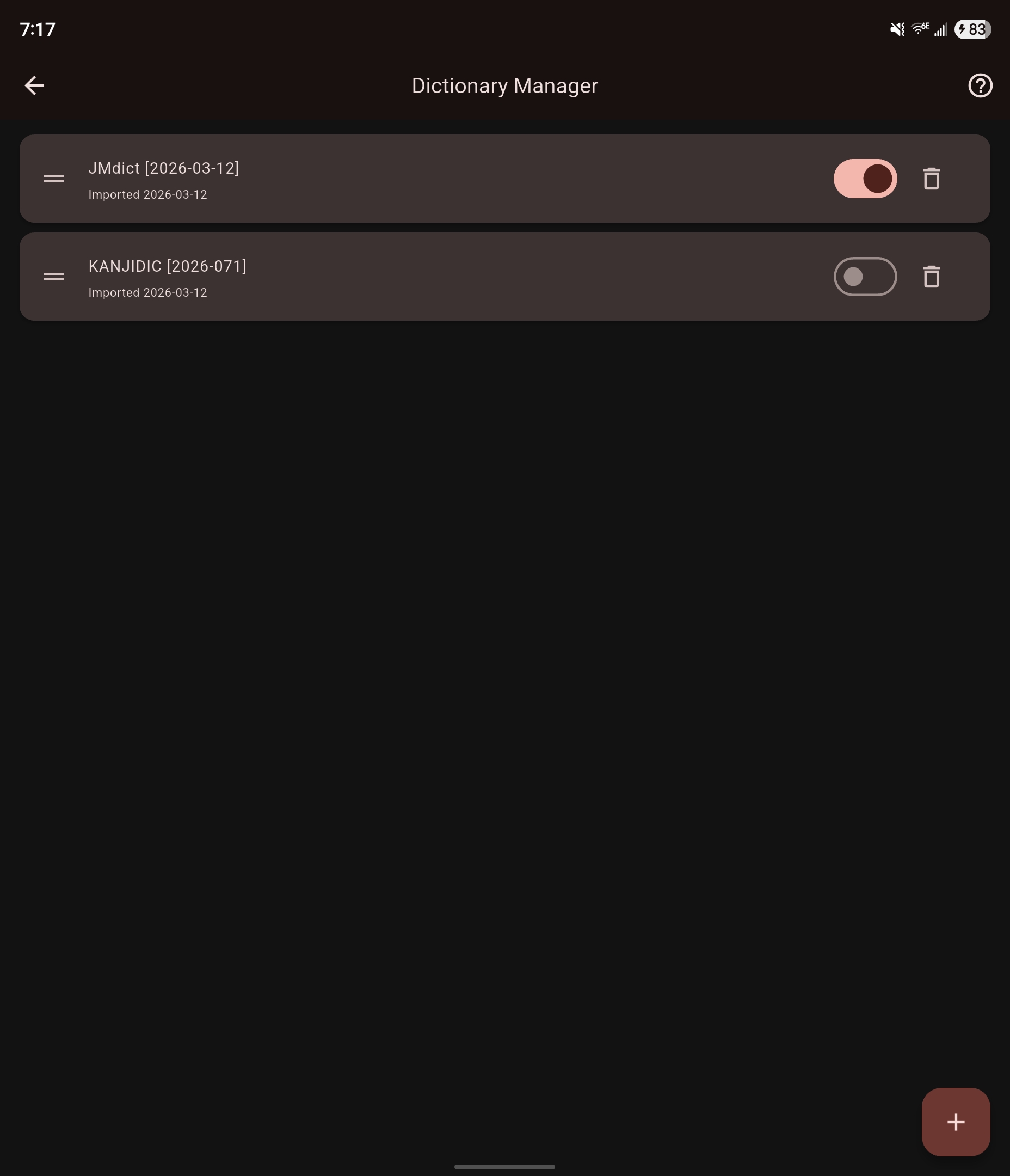
Turn a dictionary on or off
Use the switch on the dictionary's row. A dictionary that is off stays on your device, but lookups and searches skip it.
Change the order
Drag a dictionary up or down by the handle on the left of its row.
The order decides whose definitions come first when you look up a word. Put the dictionary you trust most at the top.
Add a dictionary
Download one
- Tap More dictionaries (the books icon with a plus) at the top. The More Dictionaries screen lists the dictionaries Mekuru can download for you, with their sizes.
- Tap Download next to the one you want.
For the full list, see More dictionaries.
Import a Yomitan dictionary
Yomitan is a browser extension for reading Japanese, and many free dictionaries come in its format. To import one, tap + (Import Dictionary) and choose the .zip or .json file. For the full steps, see Import a Yomitan dictionary.
To find dictionaries, tap Help (?) in the Dictionary Manager. It links to yomitan.wiki/dictionaries.
Delete a dictionary
- Tap the trash icon (Delete) on the dictionary's row.
- Tap Delete to confirm.
This deletes the dictionary and all its entries. You cannot undo it. To get the dictionary back, download or import it again.
After you restore a backup
After a restore, the Dictionary Manager can show Backup dictionary settings ready. Install the dictionaries you had before, then tap Apply Backup Settings. Mekuru brings back their order and on/off state. Dictionaries you have not installed are skipped.
If something goes wrong
- The screen says "No dictionaries imported". Tap Browse Downloads to get dictionaries, or tap + to import one.
- A word has no results. Check that at least one dictionary is turned on.
- You see most definitions twice. You may have both JMdict and Jitendex. Jitendex is built on JMdict, so turn one of them off or delete it.